
Habsburgs and Friends
A multi-touch history game for Tikveš Museum
A multi-touch educational game for Tikveš Museum that introduces children to historical figures connected to Tikveš Castle through semi-realistic 3D characters, playful quiz interactions, and illustrated biographies.
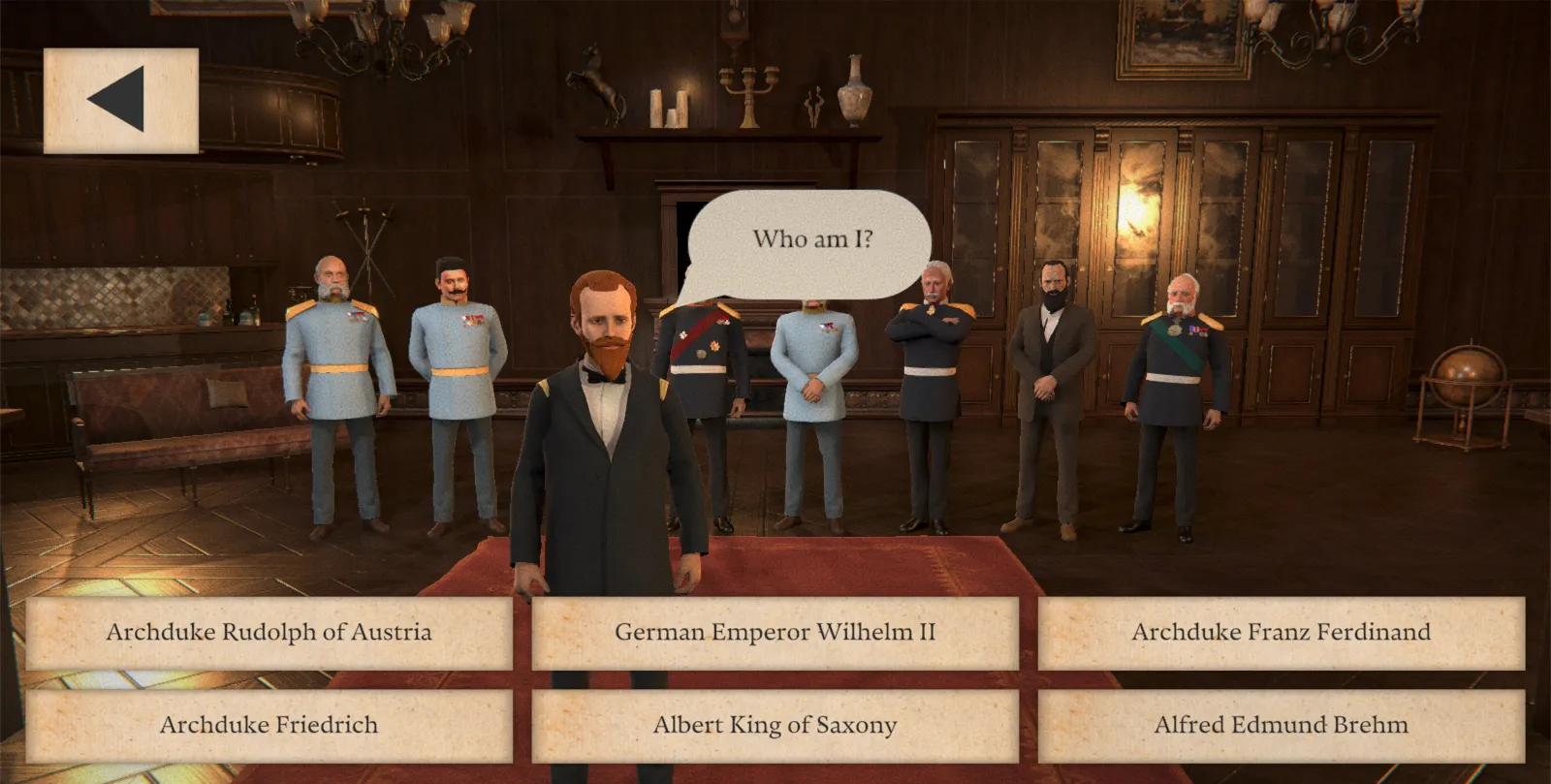
From the game
Who am I?
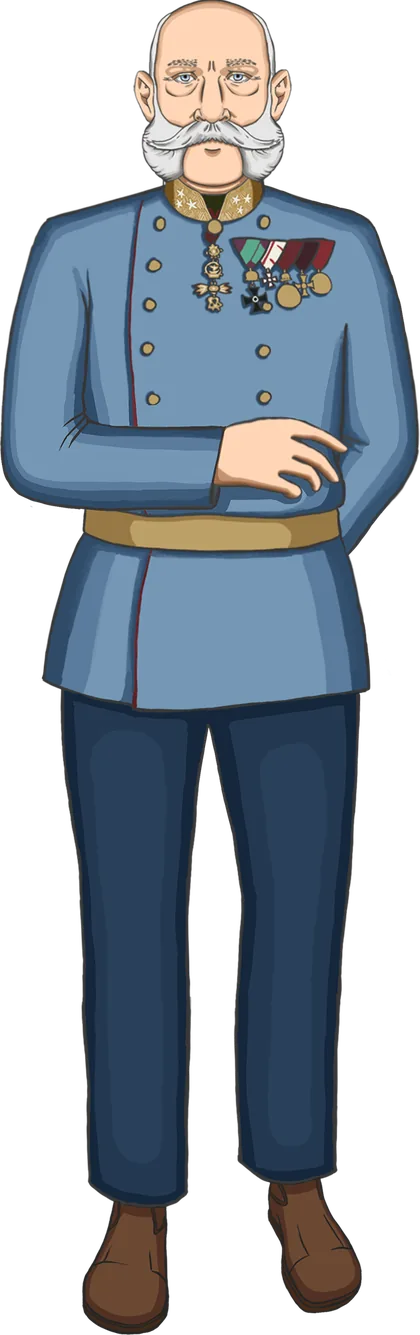
Franz Joseph I
Emperor of Austria and King of Hungary
Tap him
Tikveš Museum in Baranja wanted an interactive way to introduce younger visitors to the noble and notable people connected to Tikveš Castle. The goal was educational, but the experience could not feel like a textbook. It needed to be polished, playful, visually impressive, and simple enough for children to understand immediately.
The result was a standalone multi-touch game for a large 60-inch screen, designed for free play by children roughly aged 5-15.
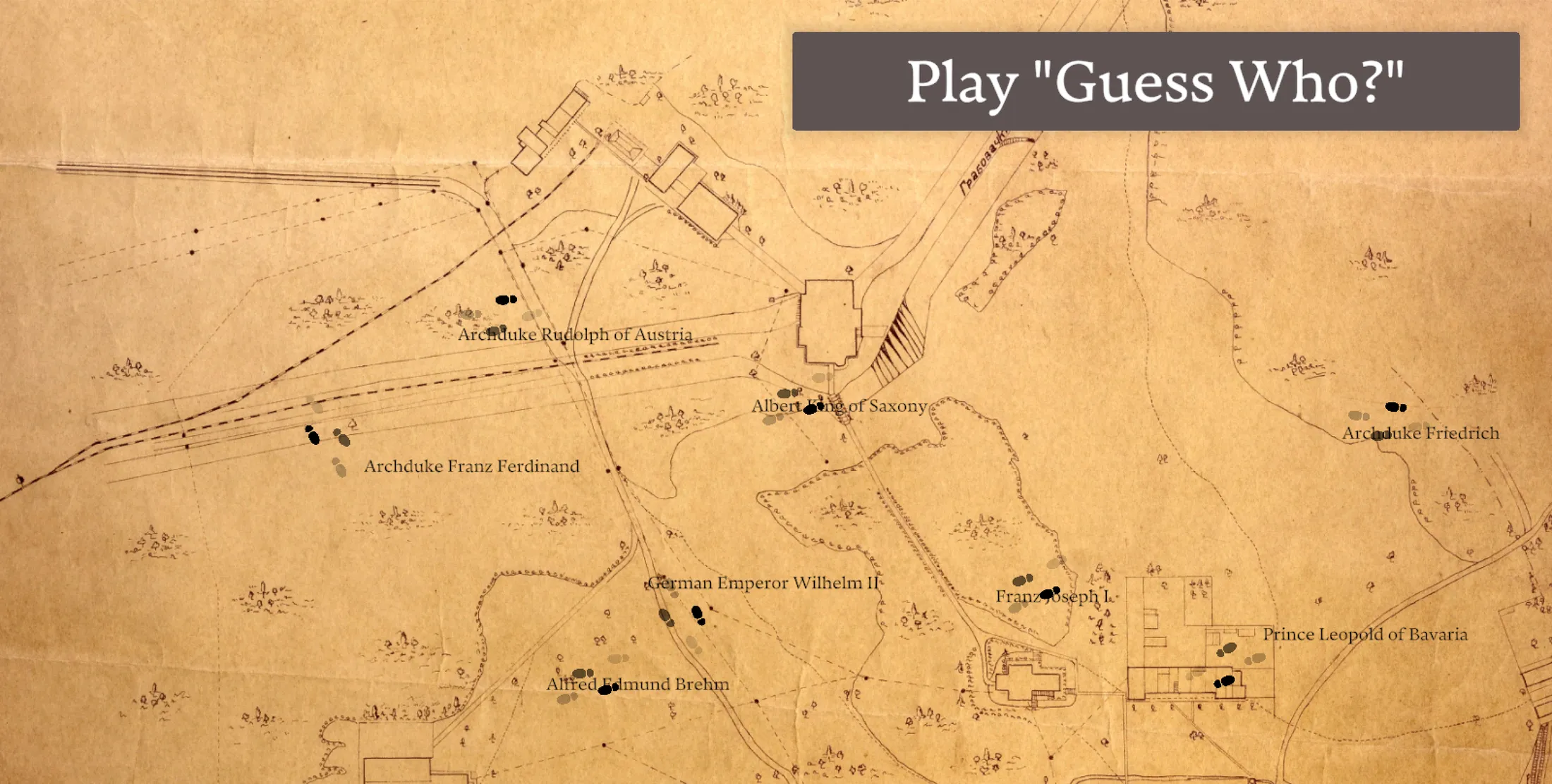
Concept
The game places visitors inside a semi-realistic period living room populated by historical 3D characters. One character steps forward and asks a simple question: “Who am I?”
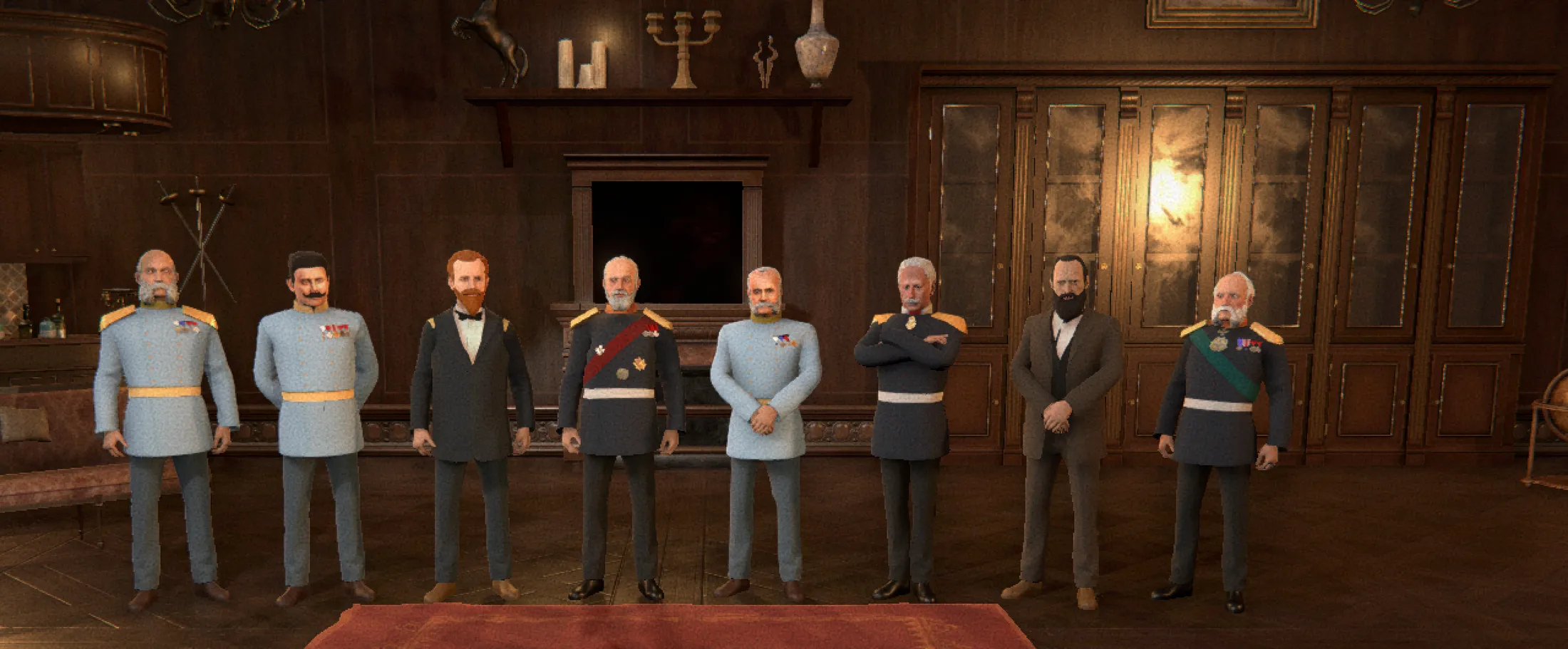
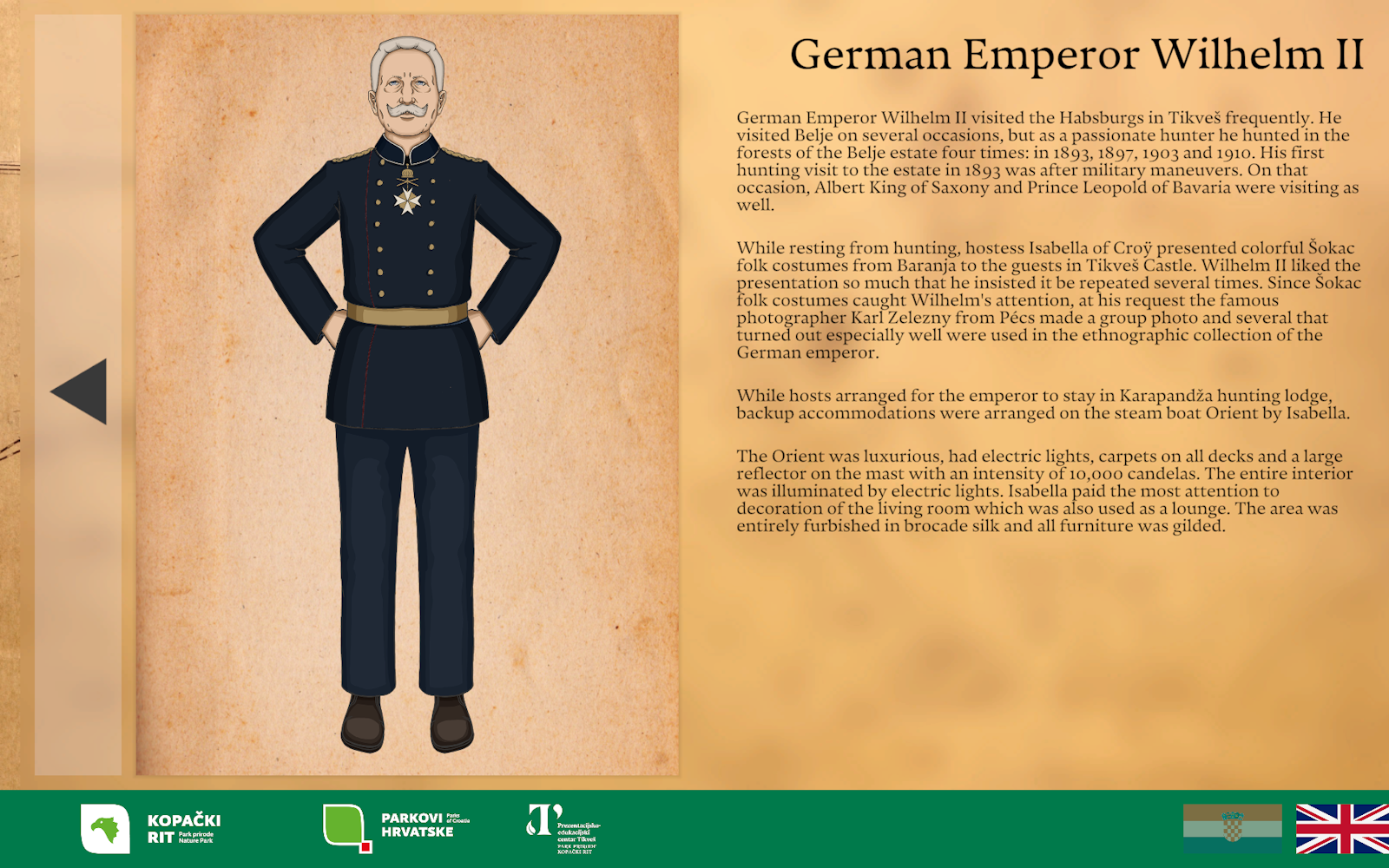
Players are then shown four possible answers. If they guess correctly, they are taken to a dedicated character page with a custom illustrated full-body portrait, a short biography, and an explanation of that person’s relevance to Tikveš.
If they answer incorrectly, the character responds with a short, sassy animation - playful enough to make the interaction fun, but still respectful of the historical context.
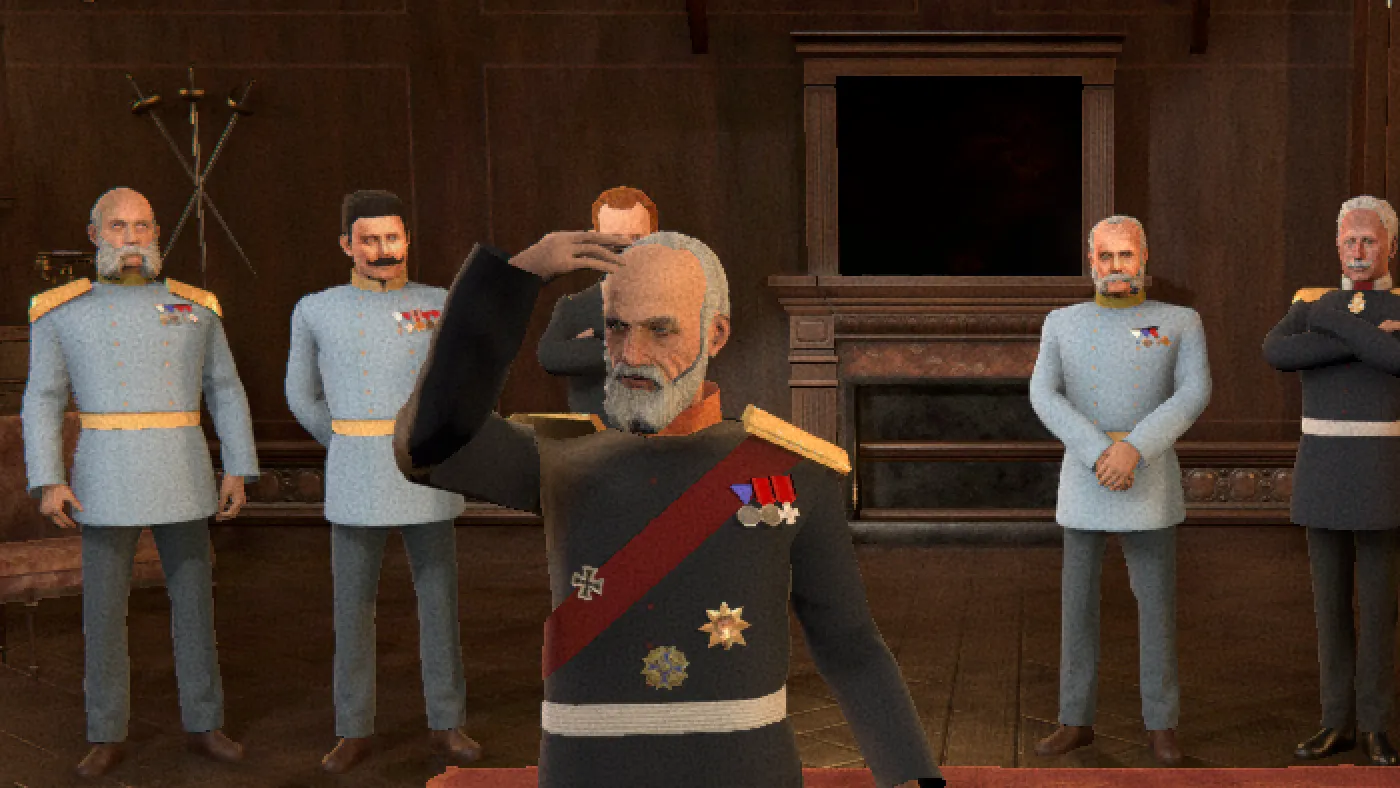
The expected session length was around 10-15 minutes, making it suitable for casual museum visits, school groups, and repeat attempts.
Historical characters
The game features a cast of historical figures connected to Tikveš, including:
- Franz Joseph I
- Archduke Rudolph of Austria
- Archduke Franz Ferdinand
- Archduke Friedrich
- German Emperor Wilhelm II
- Albert King of Saxony
- Prince Leopold of Bavaria
- Alfred Edmund Brehm
The educational goal varied slightly by character, covering personalities, historical context, notable events, daily life, and each person’s connection to the location.
Visual direction
The visual style walks a careful line between historical realism and accessibility.
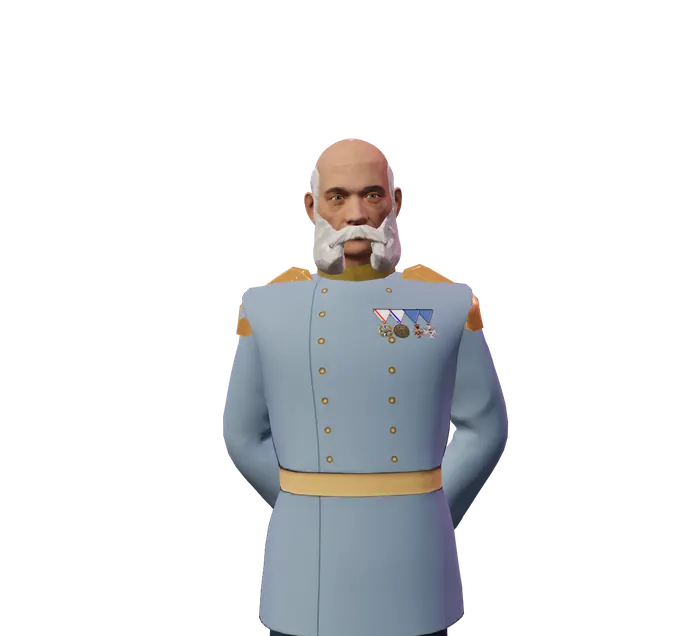
The 3D characters and environment are semi-realistic, with detailed models, textures, lighting, and period-appropriate interiors. The illustrations used on the biography screens are slightly more stylized and cartoony, but not exaggerated. They serve as a warmer, more approachable layer that helps each historical figure feel distinct and memorable.
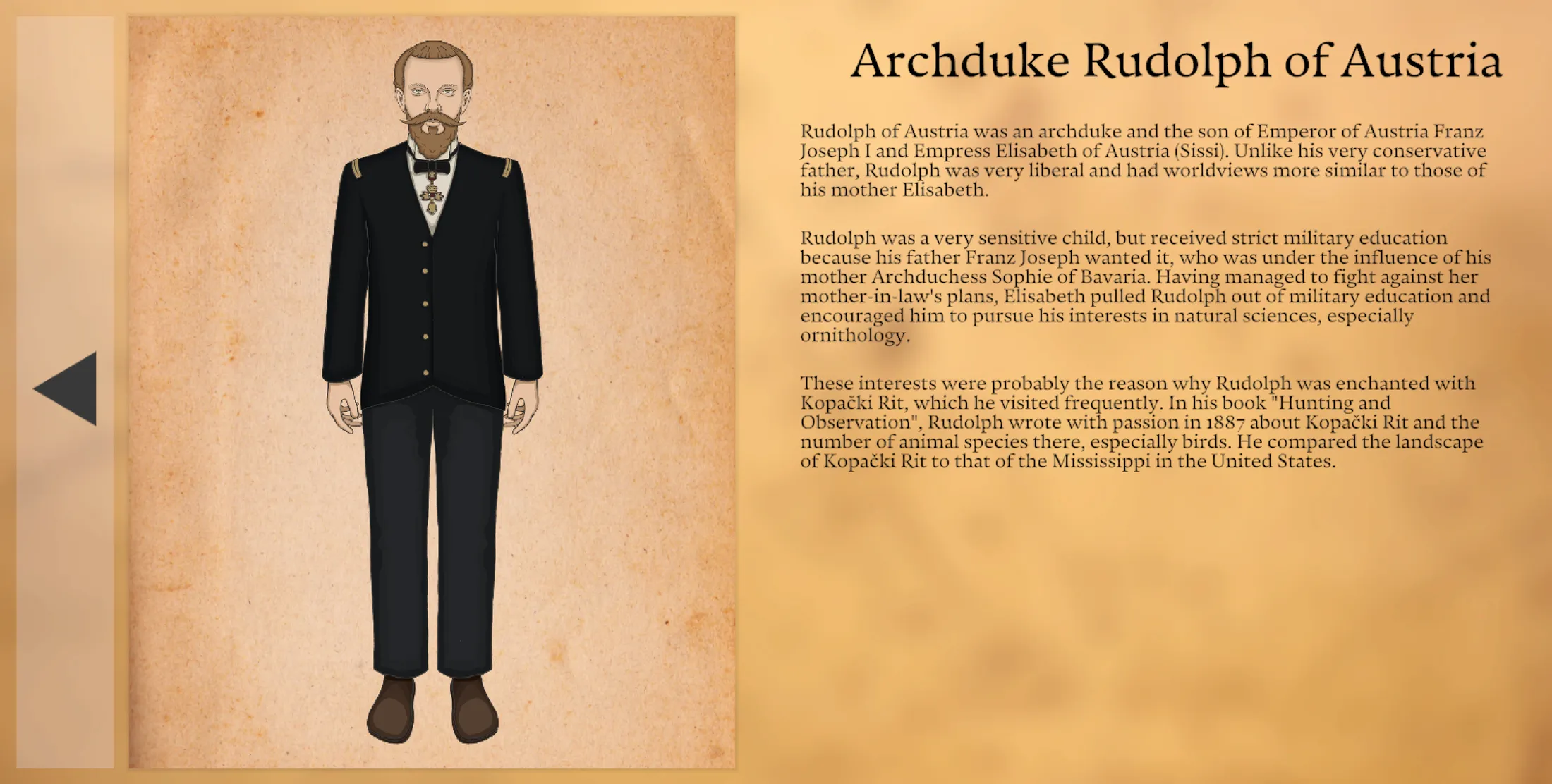
This combination allowed the game to feel serious enough for a museum setting, but friendly enough for children.
Production
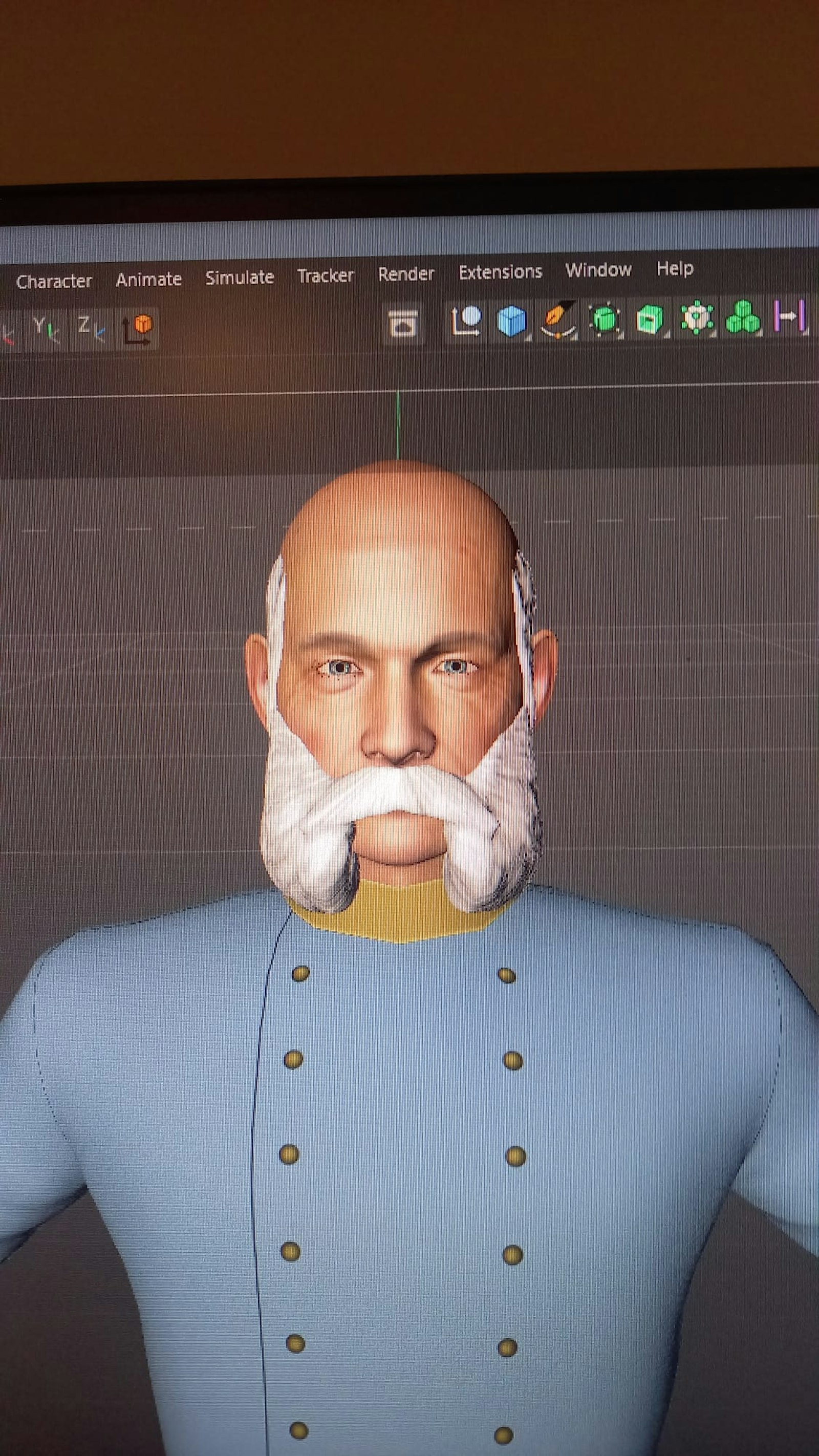
All characters were modeled, textured, rigged, and animated from scratch in Cinema 4D.
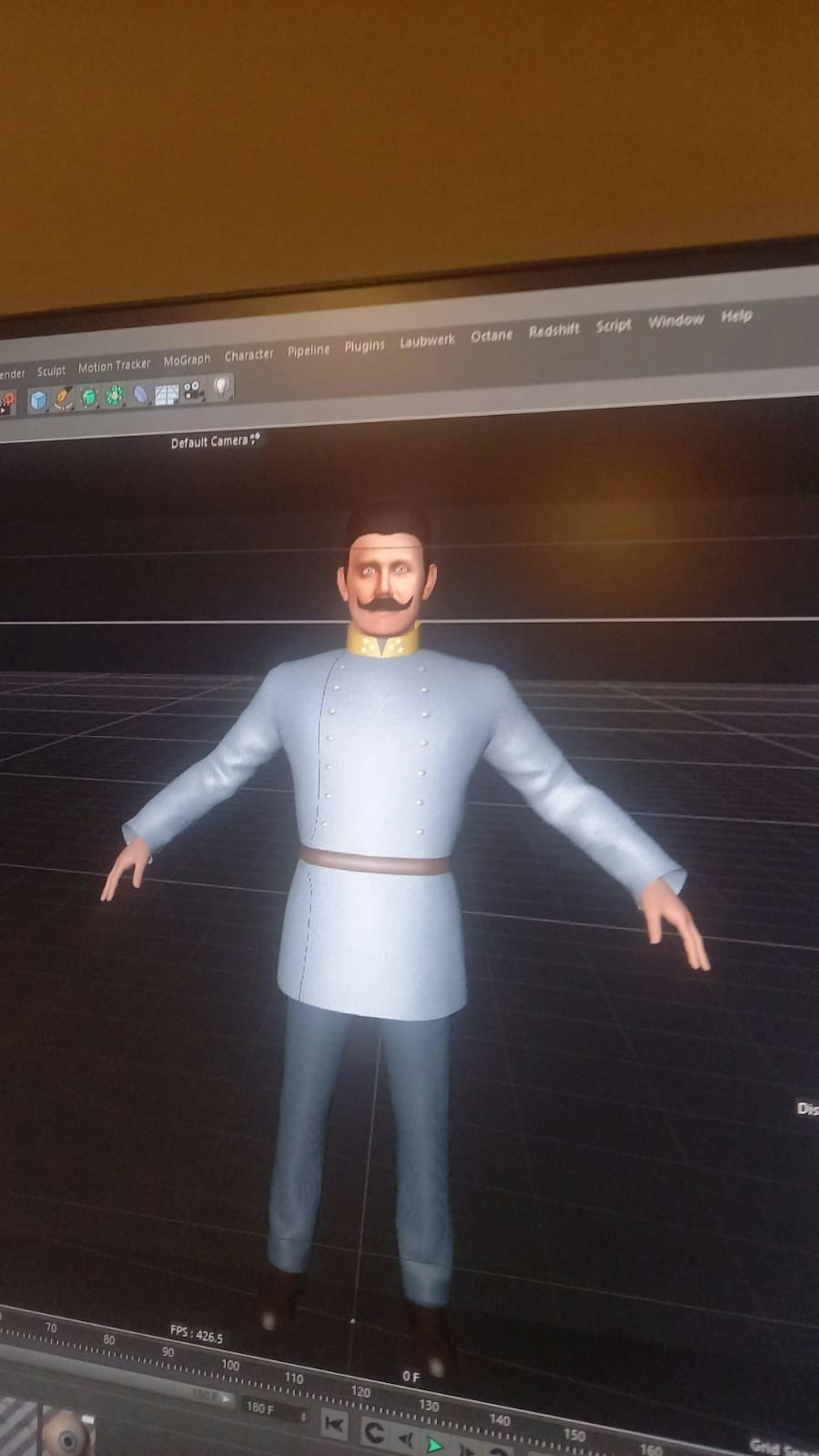
Special attention went into the faces and uniforms, since the figures needed to remain recognizable and true to life while still working as interactive game characters.
The 2D portraits were created in Adobe Illustrator, giving each person a dedicated illustrated identity for their biography page.
The game itself was developed in Unity as a standalone Windows kiosk application. Interaction was intentionally simple: players only need to tap. This kept the experience accessible for younger children and avoided unnecessary gesture complexity on the large touch display.
Technical challenges
The project had a small gameplay scope, but the challenge was making that scope feel complete, polished, and impressive.
The realistic graphics, custom models, detailed textures, and lighting pushed the hardware requirements higher than a typical lightweight museum quiz. The final installation required a NUC with a dedicated GPU to keep the experience smooth.
The tight timeline also shaped production decisions. Unity was a strong fit because it allowed us to move quickly from asset production to interaction, animation, and final deployment without building unnecessary infrastructure.
Final deliverable
We delivered a standalone Windows executable for the museum installation, combining:
- a 3D period environment
- custom historical character models
- character animations
- interactive quiz logic
- illustrated biography screens
- touch-screen kiosk deployment
The game has been in use for multiple years as part of the museum’s interactive exhibition.
- C#
- Cinema 4D
- Unity
- Illustrator
- Photoshop